Adding a New User
Are you ready to invite new team members to begin using Smartbuild? It's easy and can be done in 4 simple steps.
1. Have your accounting department reach out to Jon @ Sales and receive an estimate for additional seat. You can reach him at (419) 214-1109 He will explain our licensing options. Each user MUST purchase their own license to access the software.
2. Go to Settings_ Customize at the top of your home page:
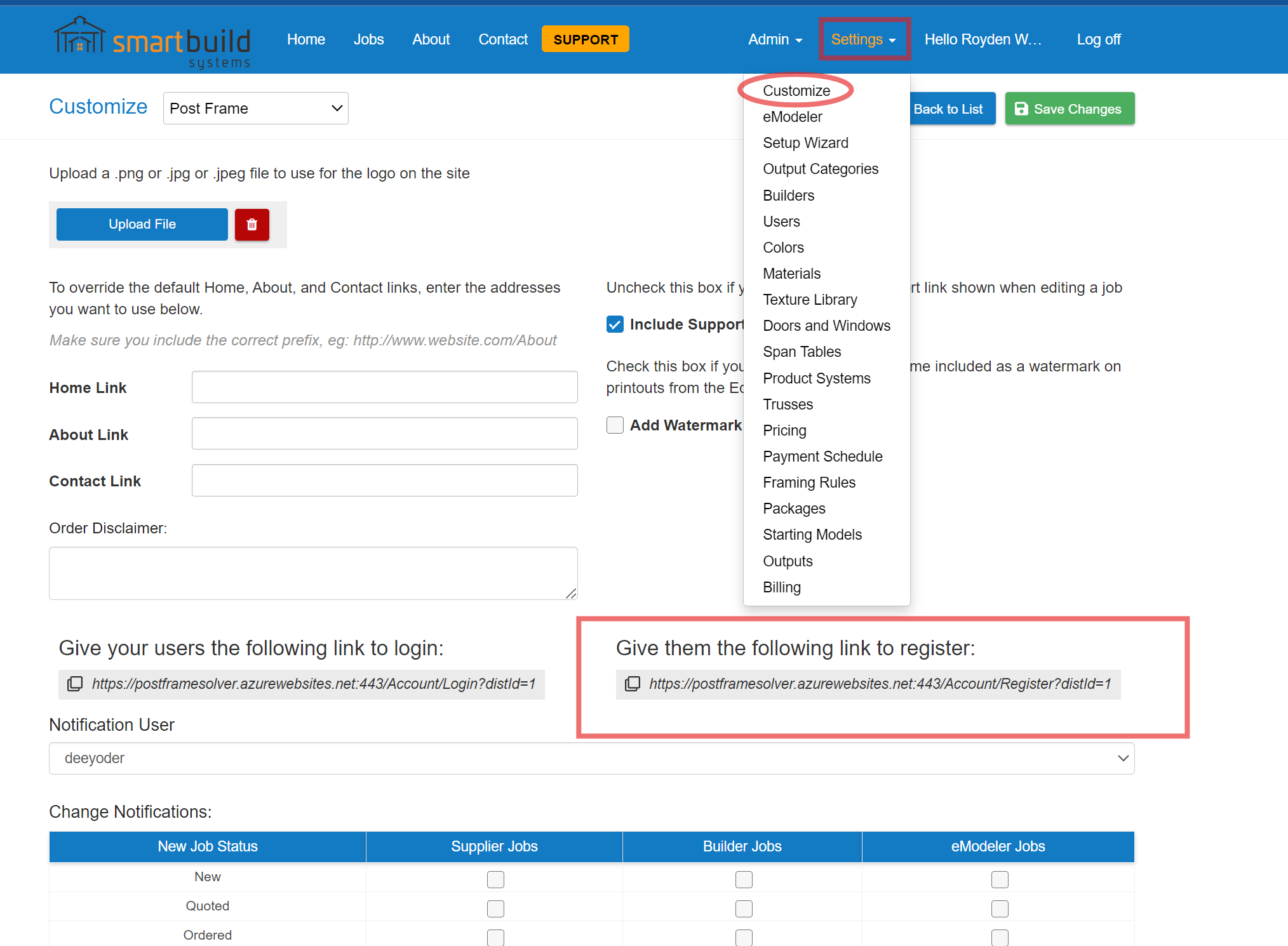
3. Email the new user this Register Link, (you can copy and paste the link in an email to them) They will need fill this out or have them available as they will need to create their unique password.
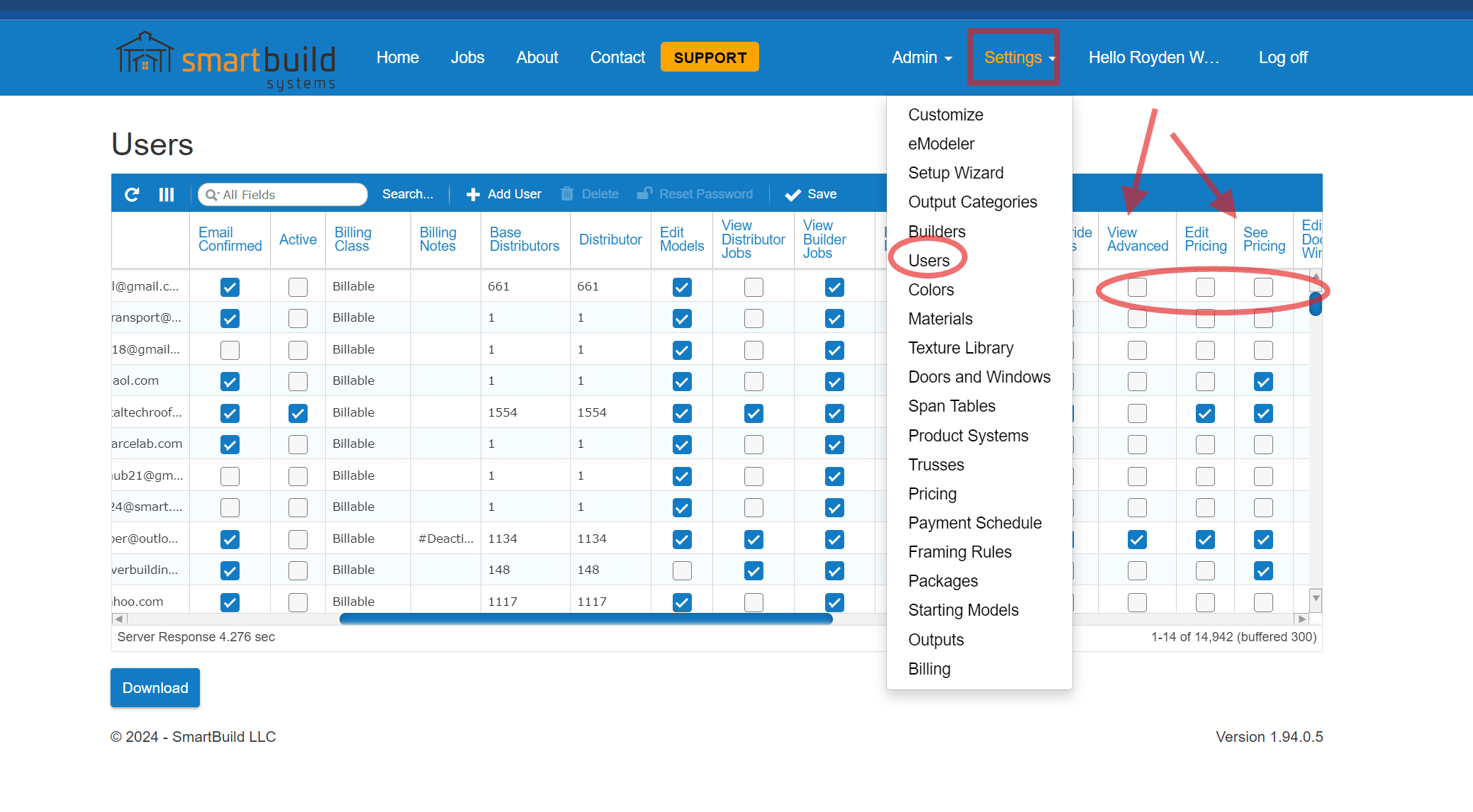
4. After you have confirmed they followed the Register steps and registered their new account, you need to update their user permissions so they can use the software. Go to Settings_Users and find their username and update the permissions so they can access what they need.