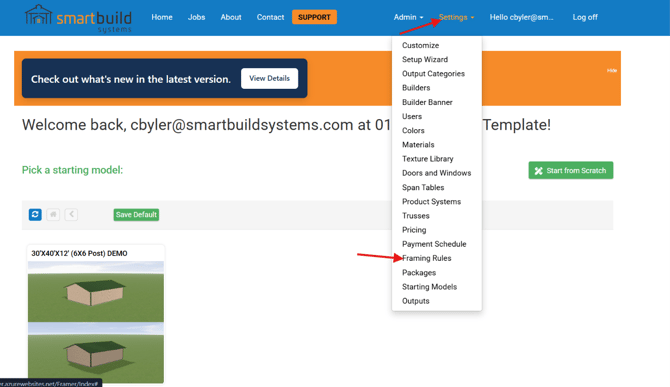
1. Click settings_Framing Rules
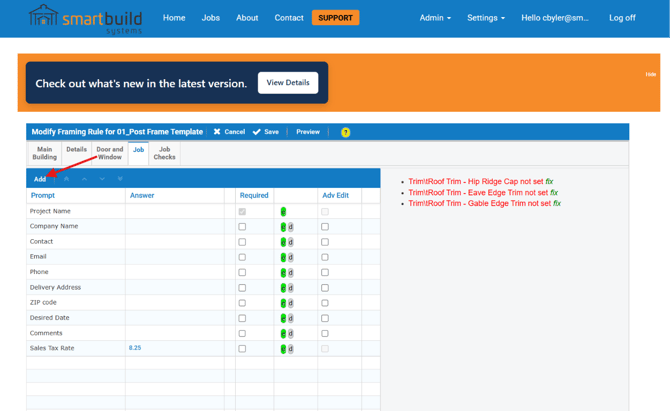
2. If you do not see Sales Tax Rate on your list of job questions click Add
3. Select Text from the drop down and enter "Sales Tax Rate" into the Prompt. Then click Save 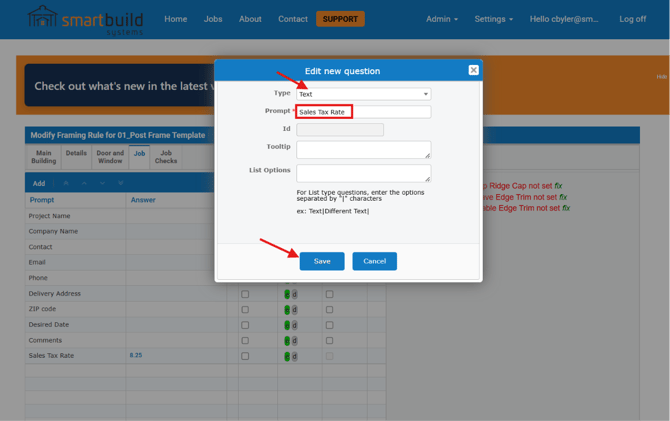
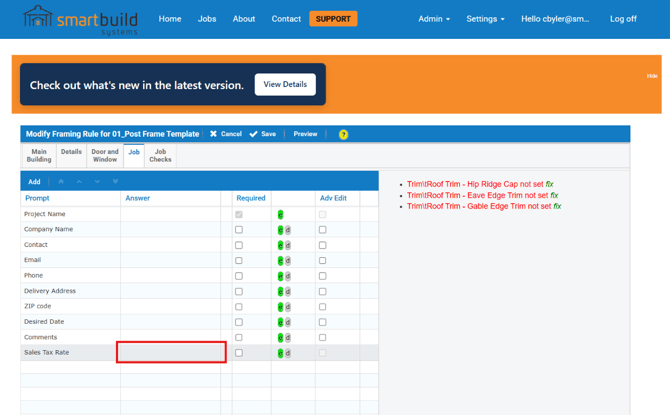
4. The job question is now at the bottom and you will double click here to enter a value.
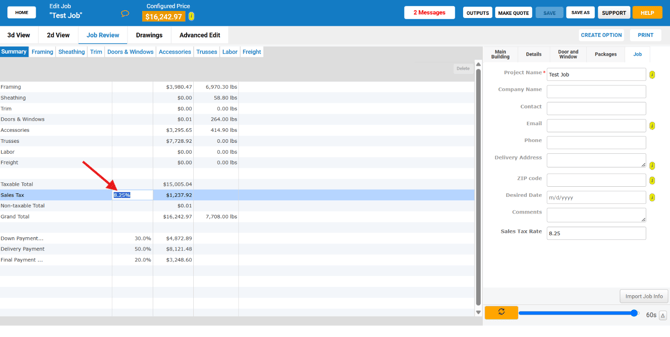
6. Now within a job you will see your tax rate and dollar amount on the job review. Keep in mind the tax will only be calculated on taxable items in your catalog.
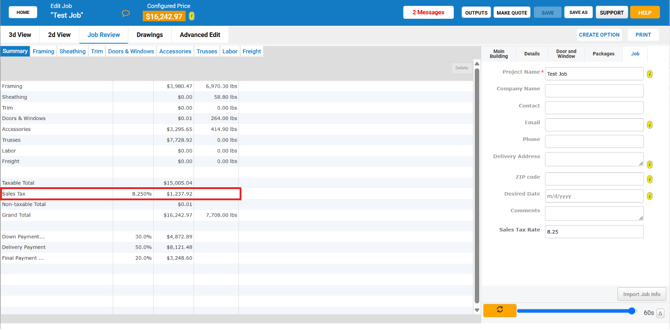 If you want to edit or remove tax on a job, simply double click the tax rate and change it to your value, then press enter.